


One mobile profile, not a second account at BC Game Bahamas
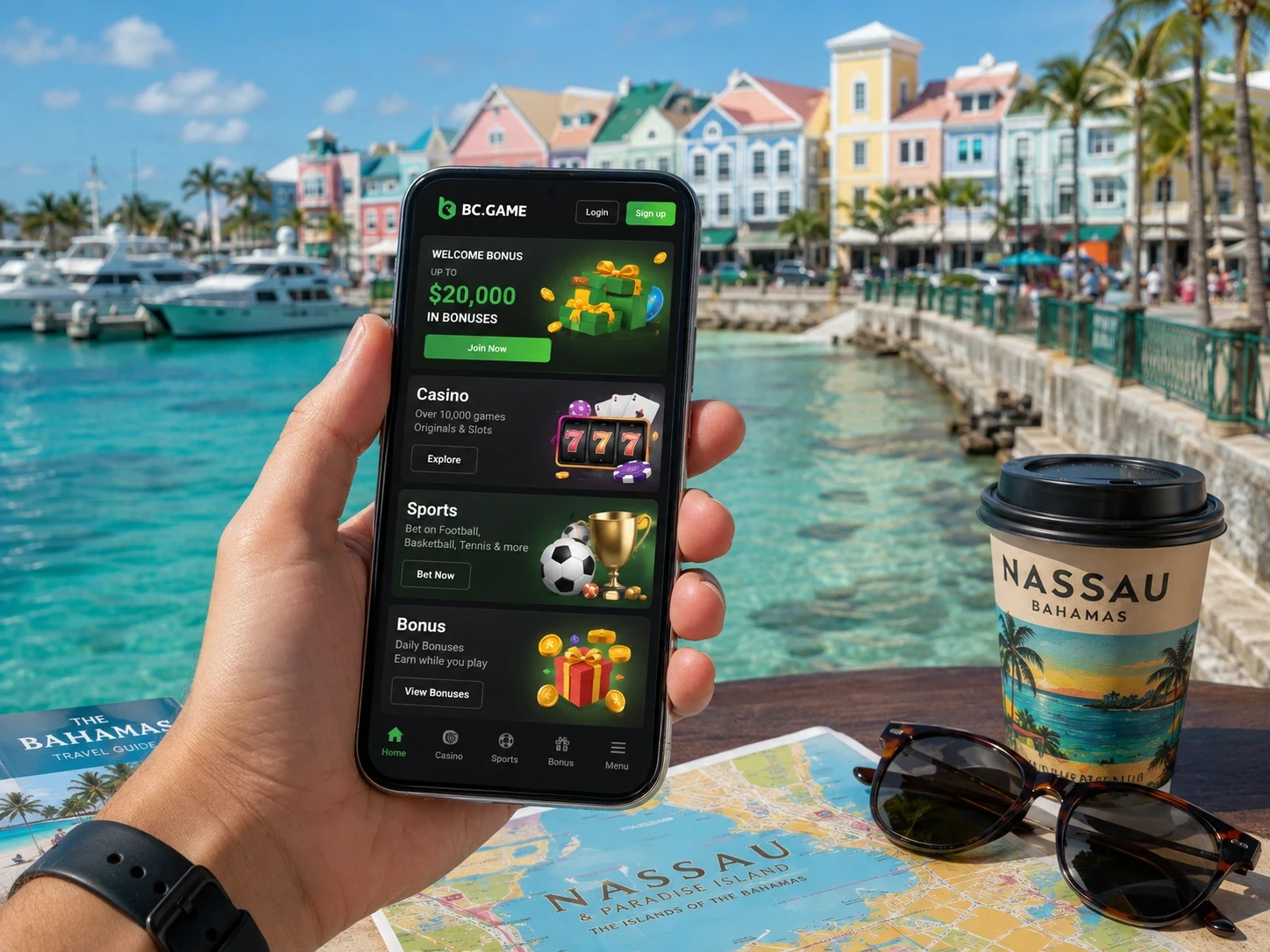
We built BC Game mobile access around the same profile you use on desktop. BC Game Bahamas mobile access uses the same Wallet, bonus status, My Bets and Security settings as desktop. There is no separate mobile balance.
Use the authentication method already connected to the profile. A different Google, Telegram, email or phone can lead to a different account.
After logging in on a new phone, checking a familiar Transaction or old ticket is a quick way to confirm that the correct profile opened.
Android without installing anything at BC Game Bahamas
At BC Game Bahamas, we let you use the responsive site without creating a separate mobile account. Chrome can open the responsive platform directly. Casino, Sportsbook, Wallet, Transaction and Rollover remain available without an APK.
If the current BC Game Bahamas page shows Install App or an Android download, use that route rather than a third-party file portal.
Add to Home Screen is another option when you want a quick icon but prefer to keep the experience in the browser.
Installing on Android carefully
Open the verified BC.GAME route in Chrome, use the Android option shown there, and open the file only if it came from that route.
Authorize installation for that package only. When Android no longer needs the temporary unknown-app permission, remove it.
Do not install files sent through private messages, email attachments or unrelated APK directories.
iPhone and iPad access
Open BC.GAME in Safari, use Share > Add to Home Screen and confirm the shortcut.
The icon opens the same profile and Wallet. Deleting the icon later does not delete account funds or tickets.
If an old shortcut opens an outdated path, recreate it from the current verified page.
Mobile crypto payments at BC Game Bahamas
Our mobile experience keeps Wallet, Transaction, My Bets and Bonus information within reach on one screen. From Wallet > Deposit, choose the asset and exact network, copy the address and any Memo or Tag, then complete the transfer in the external wallet.
After sending, monitor Transaction. If the credit is delayed, preserve the TxID/hash rather than sending another transfer.
Before a withdrawal, verify the receiving platform's current network support and destination details.
Sportsbook and Casino on a small screen
Use sports filters to narrow a long schedule before opening the bet slip. Expand the event when market labels are abbreviated.
In Casino, use Search and Favourites instead of relying on long scrolling. Confirm stake and feature controls before every new round.
After a connection interruption, check My Bets or game history before repeating an action.
Mobile security in The Bahamas
Screen lock protects the device while 2FA protects account access. They are different layers and can be used together.
Do not leave Google or Telegram connected on a shared phone if either service is used to open BC Game.
After changing phones, confirm recovery and Authenticator access before making a large withdrawal.
Troubleshooting without creating another profile at BC Game Bahamas
Our Support team can review mobile activity through the same identifiers used elsewhere on BC Game. If a shortcut stops working but the browser route opens normally, rebuild the shortcut instead of registering again.
If 2FA repeatedly fails, synchronize the phone's date and time and use a newly generated code.
If the site does not load, verify the current BC.GAME host before changing security or browser settings.
Mobile troubleshooting checklist
- Site does not load: verify the current BC.GAME route.
- Shortcut is outdated: recreate it from the verified page.
- APK will not update: use the current platform update route.
- 2FA fails: synchronize date and time.
- Deposit is missing: open Transaction and keep the TxID.
- Sports ticket issue: open My Bets and keep the ticket ID.
New-device checks before mobile payments
After installing a new phone or resetting the browser, confirm that the same authentication method opens the same Wallet. A familiar Transaction or settled ticket is a useful cross-check.
Make sure Authenticator access works before a large withdrawal. Being able to sign in with a password does not prove that every security step needed for payout is ready.
If the browser automatically fills a different Google account or email, stop and correct the login before adding funds. Fixing access first is easier than moving money from an unintended profile.
Mobile access does not change bonus rules
Moving from desktop to mobile does not reset Rollover, alter contribution or change the minimum odds for a sportsbook bonus.
A reward claimed on desktop remains the same reward on the phone when the same profile is used. There is no second mobile bonus balance.
Likewise, eligible mobile wagers feed into the same campaign records. Use the profile status rather than the device as the reference.
Mobile payments on changing networks
A phone can move between Wi-Fi and mobile data without warning. If that happens while a Deposit or Withdraw confirmation is loading, wait for the Wallet or Transaction page to refresh before repeating the request.
The first action may already have been accepted even when the local screen did not show a complete response. Repeating it too quickly can create duplicate activity.
For Bahamian players using mobile access away from home, this small pause is one of the simplest ways to keep payment records clean.
Shared-device hygiene
A borrowed tablet or shared computer should not keep a BC Game session after you leave. Use logout explicitly and avoid saving credentials in the browser.
If Google or Telegram is the connected login, sign out of that provider as well when the device is not yours.
After a support or verification task, remove downloaded files and screenshots that contain account information.
One more mobile check after changing devices
After moving to a new phone, verify the same login method, a familiar Transaction and the current 2FA setup before using payment controls.
That confirmation takes less time than recovering funds or history from an unintended profile later.
Once the profile is clearly identified, mobile and desktop can be used interchangeably without creating a second balance.
App FAQ
Do I need a separate BC Game mobile account?
No. Mobile and desktop use the same profile when you sign in with the same method.
Can Android work without an APK?
Yes. Chrome can use the responsive site without installing a package.
How do I add BC Game on an iPhone?
Open the verified route in Safari and use Share > Add to Home Screen.
Where do I track a mobile crypto deposit?
Use Wallet > Transaction and preserve the TxID if the sending wallet already shows completion.